Quick & easy

Identify a gemstone in 3 steps

1. Point your camera

Open GeoLens and aim at the gemstone, or pick a photo from your gallery.
01

2. Get an instant ID

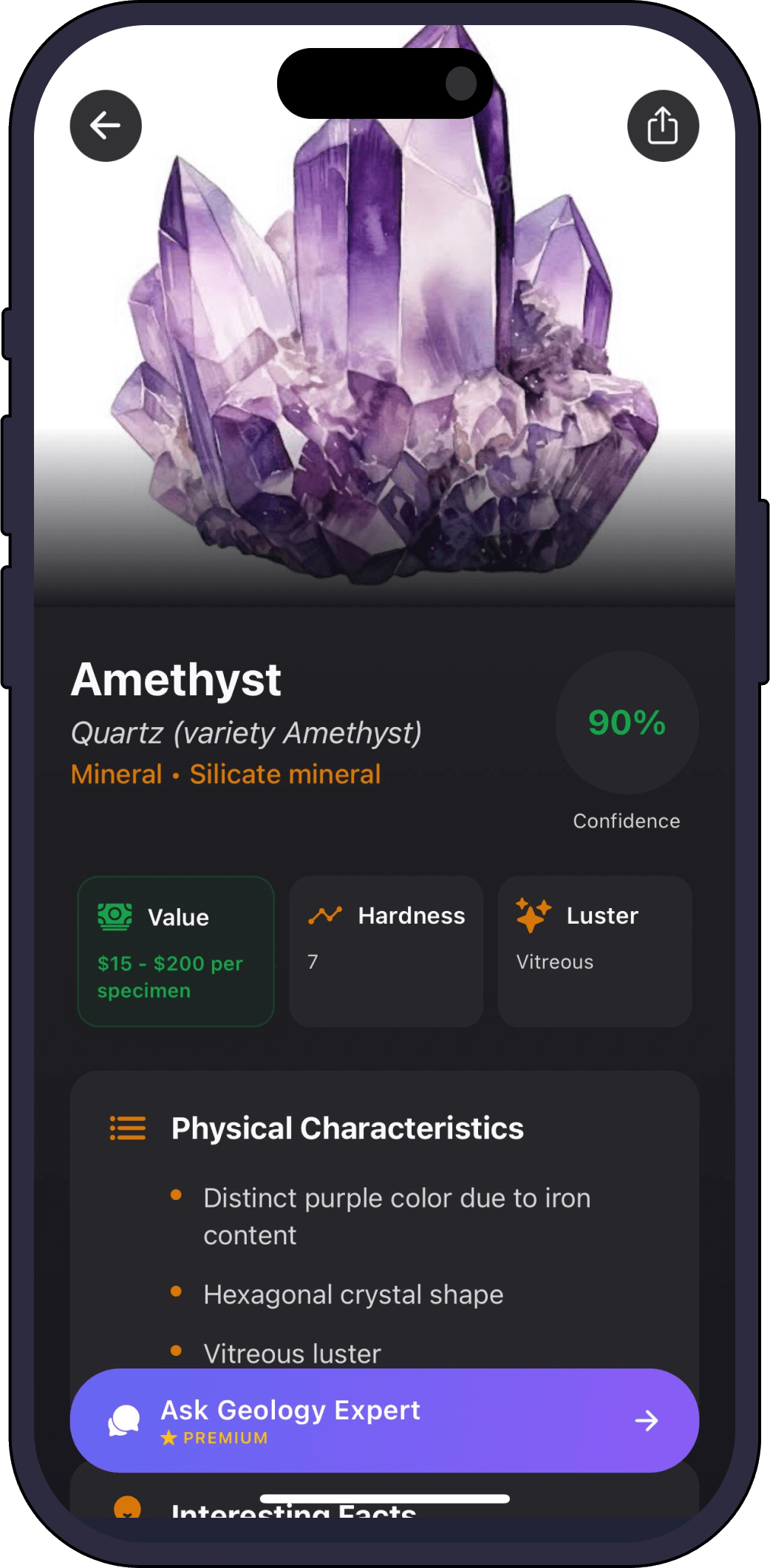
The AI returns the most likely match with a confidence score and a full profile.

02

3. Save and learn

Add it to your collection and ask the AI geology expert anything about it.

03
Full profile

What GeoLens tells you about your gemstone

  • Gem species

    Amethyst, citrine, garnet, agate and more.

  • Hardness

    How it sits on the Mohs scale, a key durability clue.

  • Value range

    An estimated value for a specimen like yours.

  • Color & clarity notes

    What gives the stone its colour and character.

  • Lookalikes

    Similar stones it could be confused with.

One scanner, every specimen

GeoLens identifies more than gemstones

FAQ

Gemstone identifier questions

Can it tell if a gemstone is real?
GeoLens identifies the most likely gem species and flags common lookalikes, a strong first check. For high-value stones, a certified gemologist should confirm.
Does it work on cut and polished gems?
Yes, on rough crystals, cabochons and faceted stones. A clear, well-lit photo gives the best result.
Is the gemstone identifier free?
Yes, it is free to try, with a premium subscription for unlimited identifications and full profiles.
How accurate is it?
Every identification includes a confidence score. Natural light and a few angles improve accuracy.
Get the app

Identify your first gemstone free

Download Rock Identifier: GeoLens on the App Store

Free to try. iPhone, 11 languages.